
Download
1.) New installation (trial & full version)
1.1. Microsoft Access (full version or runtime version)
The Fit File Repair Tool is a Microsoft Access application. You need Microsoft Access 2010/2016 or Access 365 on your PC to run the tool.
If you don't have Microsoft Access installed on your PC you can download a (free) run time version from https://www.microsoft.com/en-us/download/details.aspx?id=50040.
Please download and install the file AccessRuntime.exe.

FFRTsetup 8-14-25.exe
Ausführbare Windows-Datei [6.9 MB]
FFRTsetupForAccessRuntime 8-14-25.exe
Ausführbare Windows-Datei [6.9 MB]
You may receive a warning about a potential security risk after starting the MS Access Fit File Repair tool:
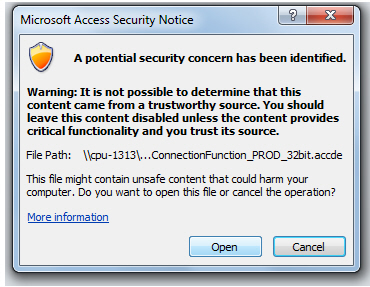
In this case, it is necessary to add the file directory where you have installed Fit File Repair Tool (Documents\FitFileRepairTool ?) to the list of trusted locations in MS Access.
The following article from Microsoft describes how this works:
https://support.microsoft.com/en-us/office/add-remove-or-change-a-trusted-location-in-microsoft-office-7ee1cdc2-483e-4cbb-bcb3-4e7c67147fb4
2.) Update
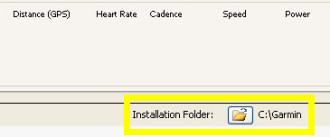
If you don't know your installation folder please start the Repair Tool and take a look at the bottom of the main form - there you will find an information about the licence holder and the installation folder.

3.) Manuals

Fit File Repair Tool Manual.pdf
PDF-Dokument [9.6 MB]
Fit File Repair Tool Benutzerhandbuch.pd[...]
PDF-Dokument [3.7 MB]
PDF-Dokument [4.8 MB]
 Druckversion